
Dead Quiet00
Free 3-day demo. macOS: AU, VST3, Standalone. Windows: VST3.
Hear it · A/B
Same mix, matched level. Press play and flick Gluue on and off — it stays in sync.
Pick an example
A mastering bus compressor built to hold a mix together with gentle reduction, honest level matching and a display that shows you exactly what it is doing. Push it for a firm bus, back it off for a transparent master.
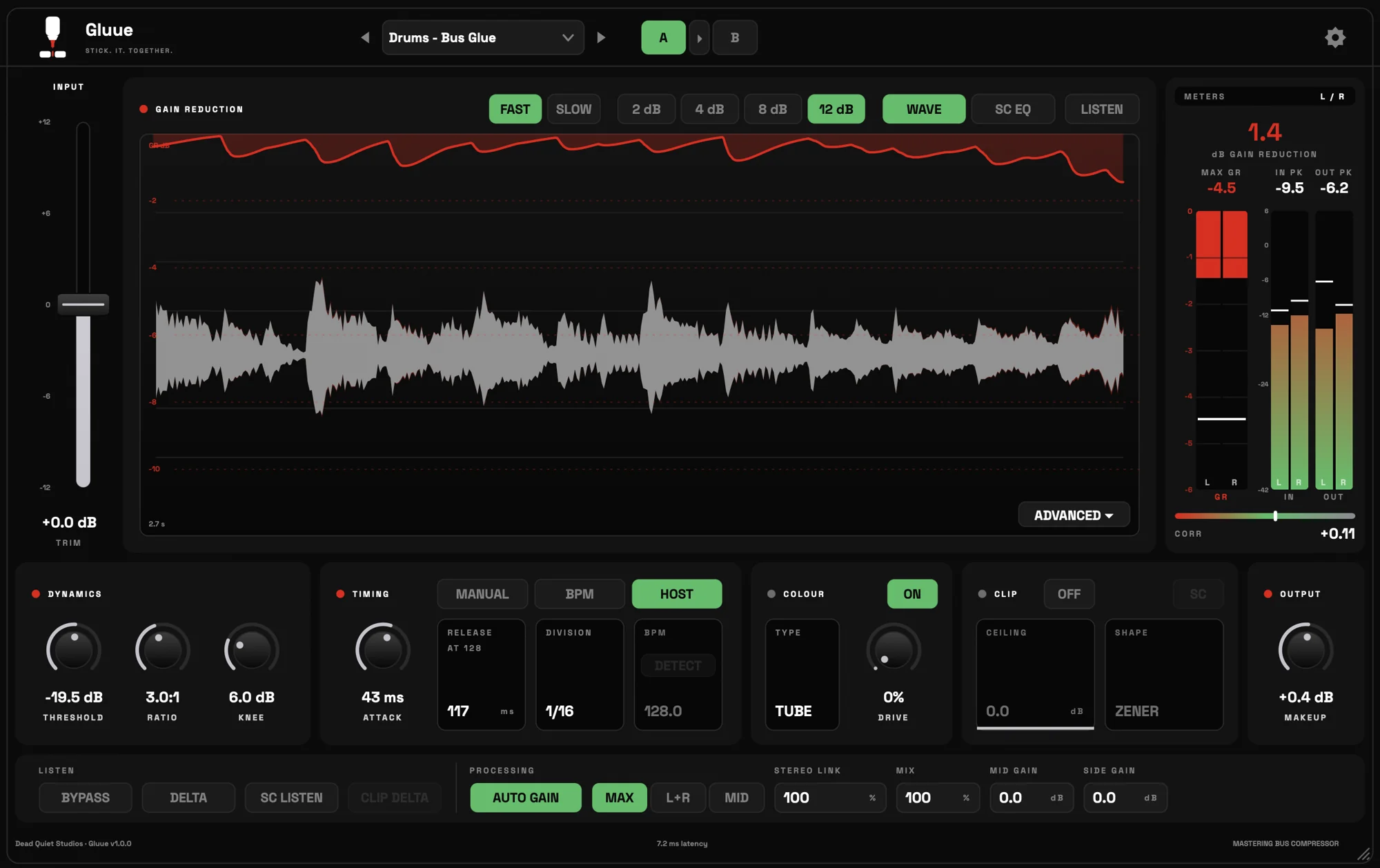
A live gain reduction trace sits over the waveform, with GR, IN and OUT peak meters and a stereo correlation bar beside it. Press AUTO GAIN and Gluue listens, matches the output to the input by loudness or peak, then locks the result onto the MAKEUP knob, so you judge the glue and not the level.
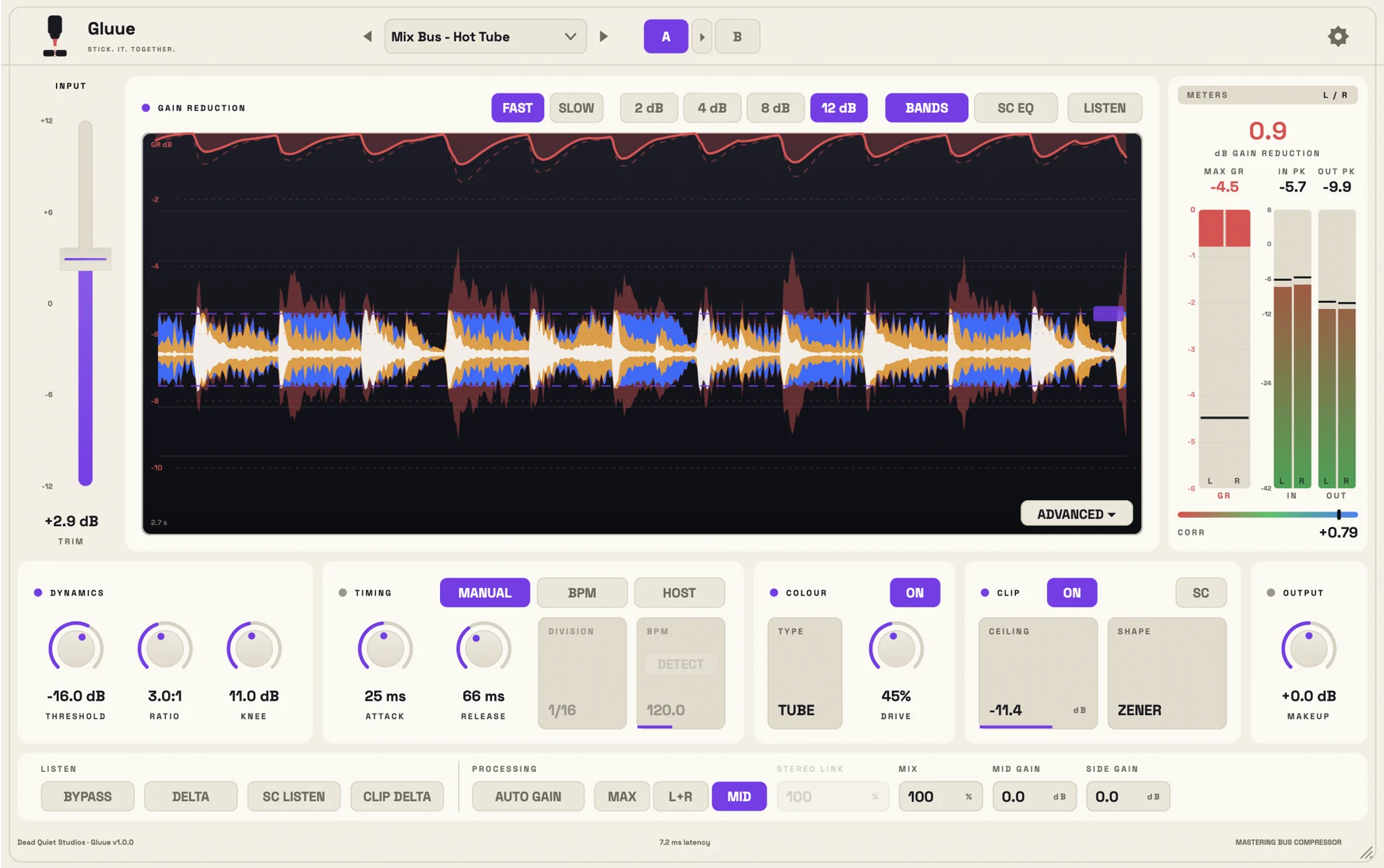
Link the detector on MAX, L+R or MID only. On MID the STEREO LINK control steps aside and the sides are left alone, with MID GAIN and SIDE GAIN (plus or minus 12 dB) to rebalance afterwards. Switch the display between WAVE and BANDS, and pick the Light or Dead Quiet skin.
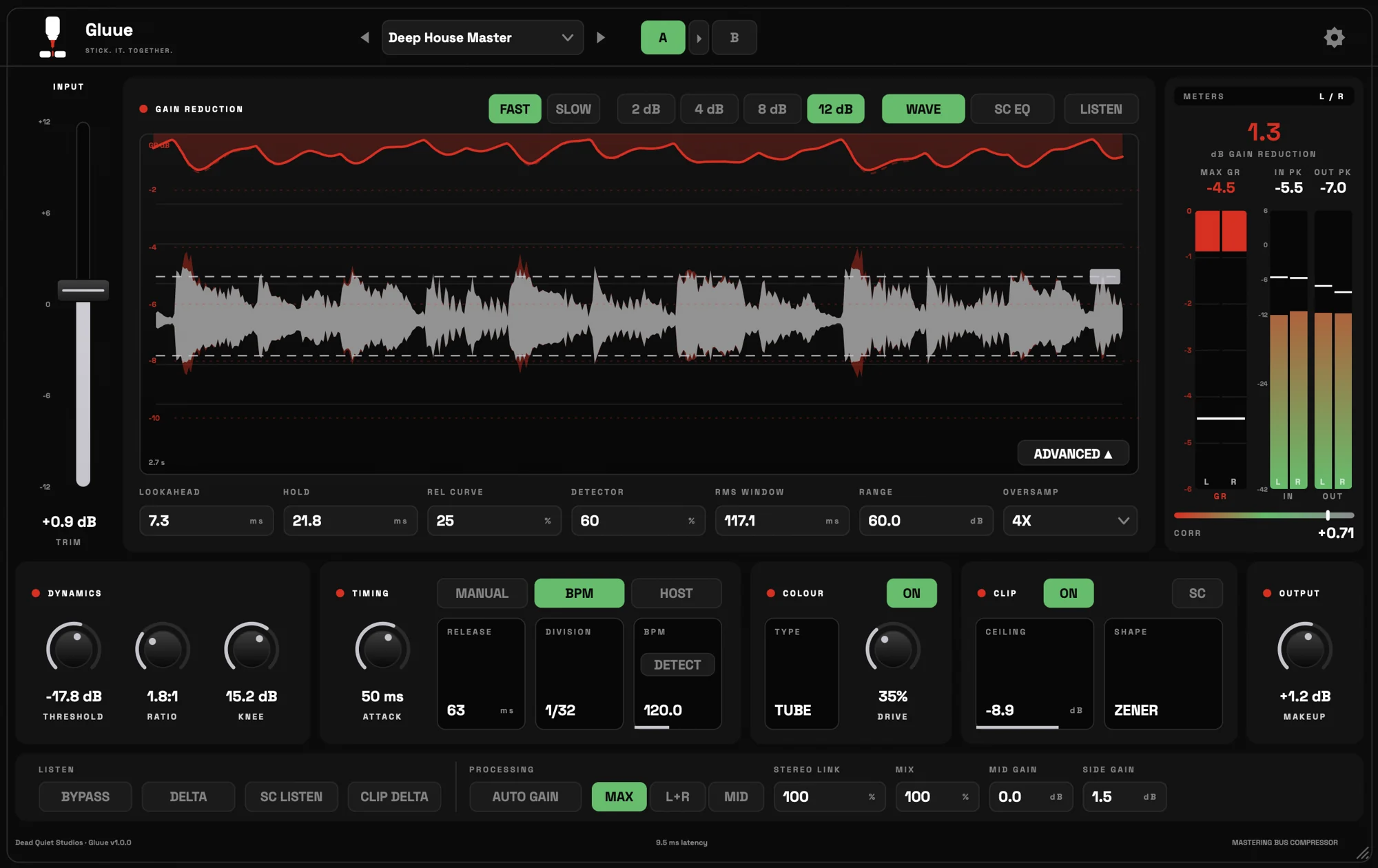
Add CLIP (Zener or Hard) and COLOUR (Tube or Iron) with a single DRIVE knob, then hear only what the clipper removes with CLIP DELTA. Open ADVANCED for lookahead, hold, release curve, detector, RMS window, range and oversampling, plus the sidechain high-pass and four EQ bands in SC EQ.
Compress MID and SIDE independently, trim each with its own gain, or link on MID only so the stereo image stays exactly as you left it.
Start from 75 factory presets, save your own, flip between A and B, and pick the Light or Dead Quiet skin.
| Feature | What it does |
|---|---|
| VCA-style compressor | Clean per-sample gain reduction with 2x or 4x oversampling. |
| Timing and release | Attack, release and an AUTO release that follows the music. |
| MID / SIDE | Independent mid and side compression, MID-only link, and MID and SIDE gain (±12 dB). |
| Sidechain | High-pass 20 to 1000 Hz at 6, 12, 24 or 48 dB/oct, plus four EQ bands. |
| Listening tools | Hear what the detector hears while you set the sidechain. |
| CLIP | Zener or Hard clipper, -30 to 0 dBFS. |
| COLOUR | Tube or Iron colour, plus a MIX control for parallel blends. |
| AUTO GAIN | K-weighted, gated PEAK or LOUDNESS match. Settles, then locks (±12 dB). |
| Analyser | Built-in analyser and a live gain reduction display. |
| Presets and A / B | 75 factory presets, your own user presets, and instant A / B. |
| Skins | Light and Dead Quiet. Look only, same sound. |